Quick start · page 1 of 29
Quick start: judge a pull request you already have
In 30 seconds
- You need a GitHub repository with an open pull request, from an agent or a person. No key, no runner, nothing to pay.
- You do: press Judge, check the done when lines, then Looks right or Not quite with a reason.
- You get a record: Looks right seals it with a number, Not quite posts your reason on the pull request. Merging stays yours, on GitHub.
DoneMark's first hour is your agent building what you ask (Your first hour). Inside a project, a pull request a teammate or another agent opened can be judged the same way, under Pull requests: you give it your look and the record keeps it. Judging it needs no agent key and no runner.
The steps
- Sign in with GitHub. DoneMark stores no password of yours.
- Name your organisation. Being alone in it is fine: on your own, everything is yours, and nobody asks which hats you wear.
- New project → An app that exists. The screen lists what the GitHub App may and may not do before you go.
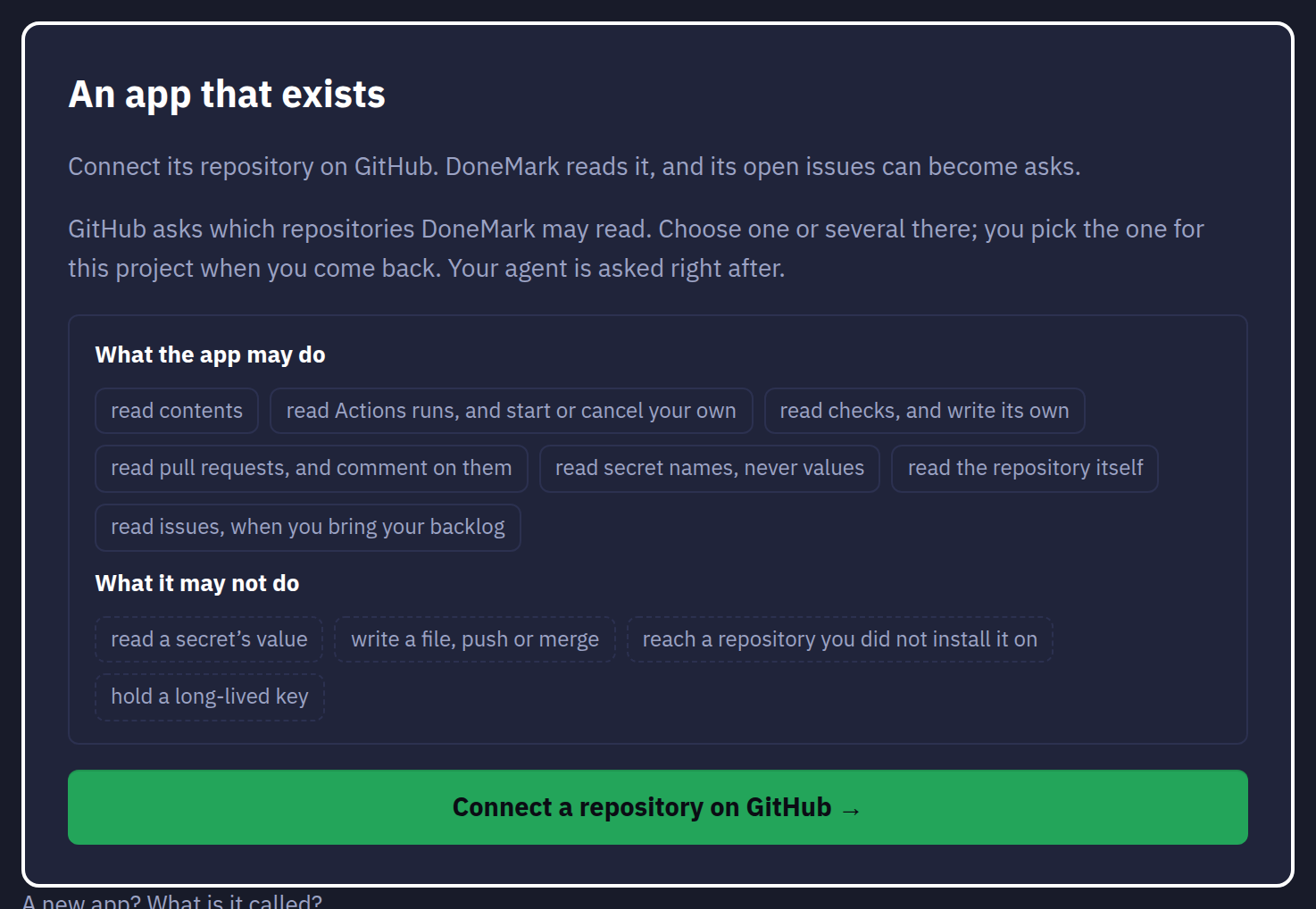
The new-project door: an app that exists, connect its repository. - Give the GitHub App the repository. On GitHub it is called DoneMark witness. It reads your code and writes only checks and pull-request comments. Back on DoneMark, choose the repository from the list of the ones you gave it; nothing to paste. The project takes the repository's name and opens on its first screen, which asks which agent builds it; to judge a pull request you already have, open Pull requests instead.
- Press Judge on a pull request. The list says who opened each one: a person, or an agent such as Copilot, Claude Code, Cursor or Devin.
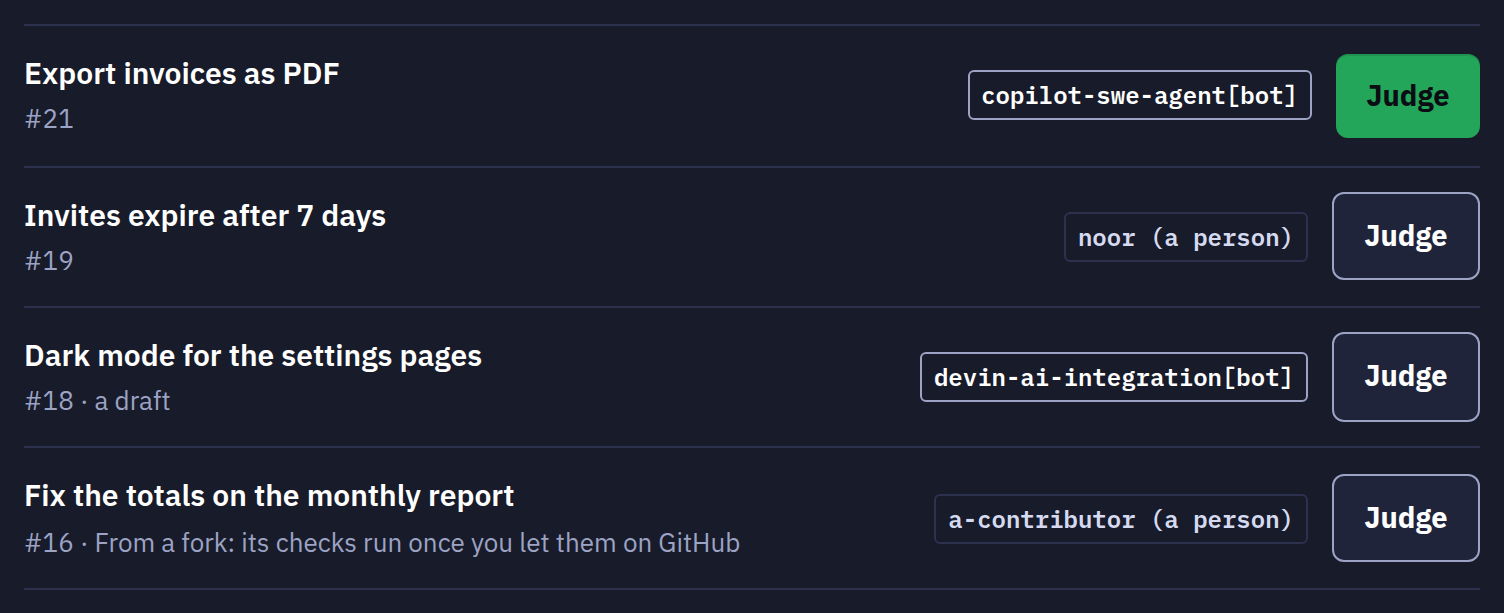
The open pull requests, each with who opened it, and one Judge to start with. - Check the done when lines. DoneMark drafts them from the issue the pull request closes, or else from its description, and says which. A description is its author's claim, so change any line that is not what you meant, then press Use these lines.
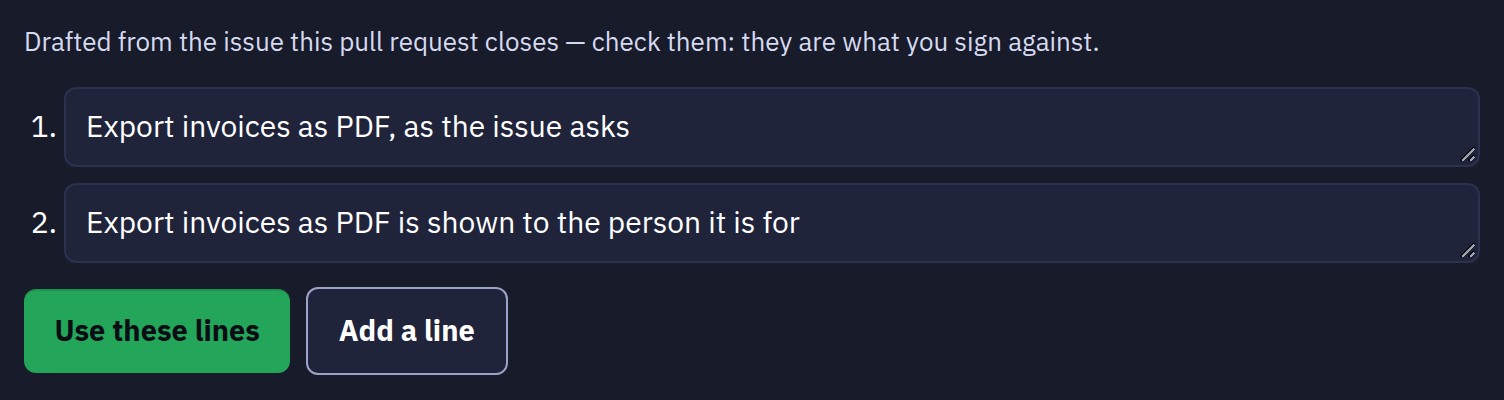
The done when lines, drafted from the issue the pull request closes, and Use these lines. - Read what each line was seen by. A line can be seen by a check that ran on this commit, by the pull request's checks as a whole, or by nothing yet, which means you judge it by looking. Files about sign-in, payments, secrets, the database or how it is measured show in orange: look there first. When the change touches how it is measured (CI workflows, report scripts, test settings), a check can pass because it was made easier to pass: look at those files, then tick I looked at how it is measured changed, and Looks right opens.
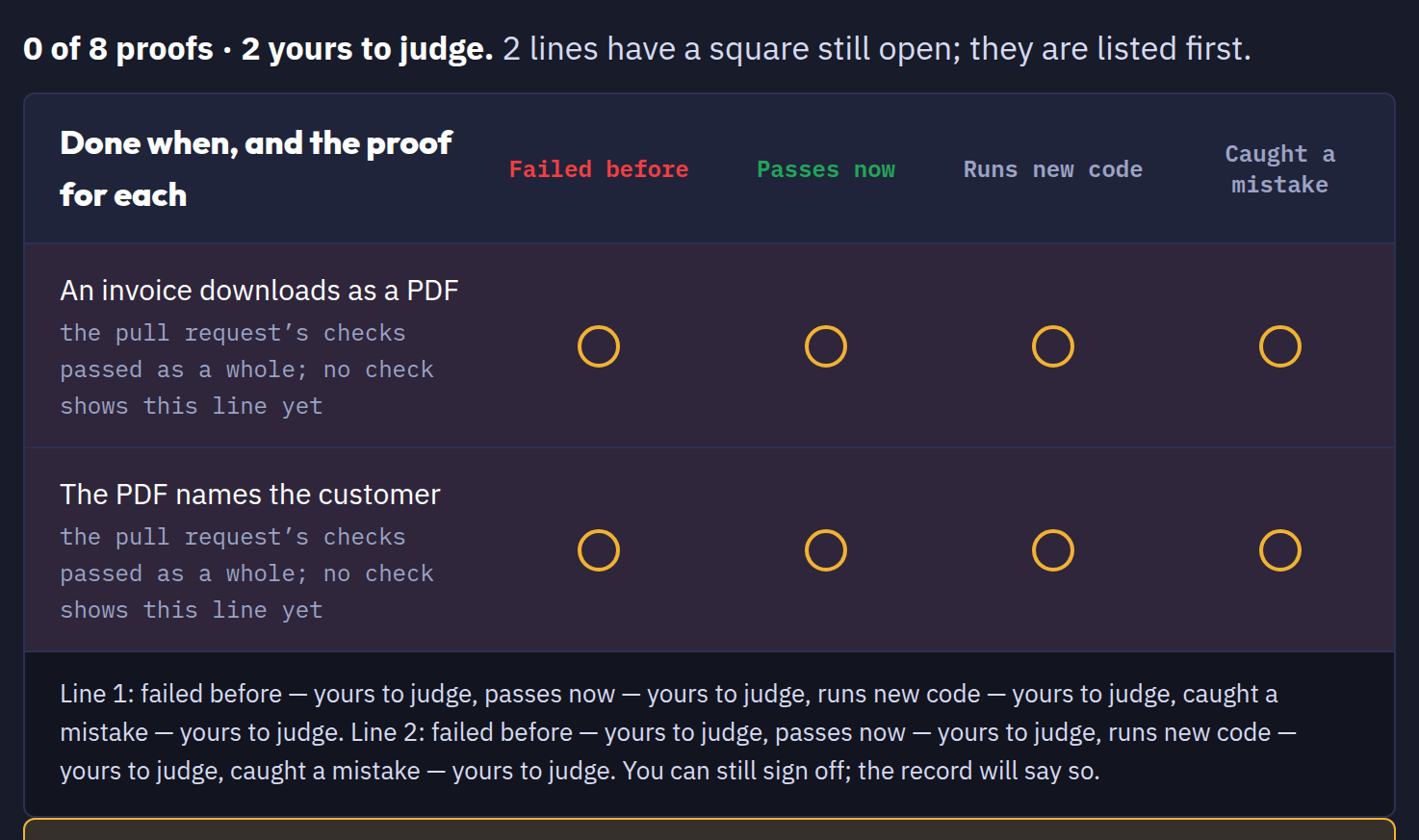
Each line with what saw it: here, the pull request’s checks as a whole. - Looks right or Not quite, with a reason in your own words. Looks right seals it at once with a number. Not quite posts your reason on the pull request for its author.
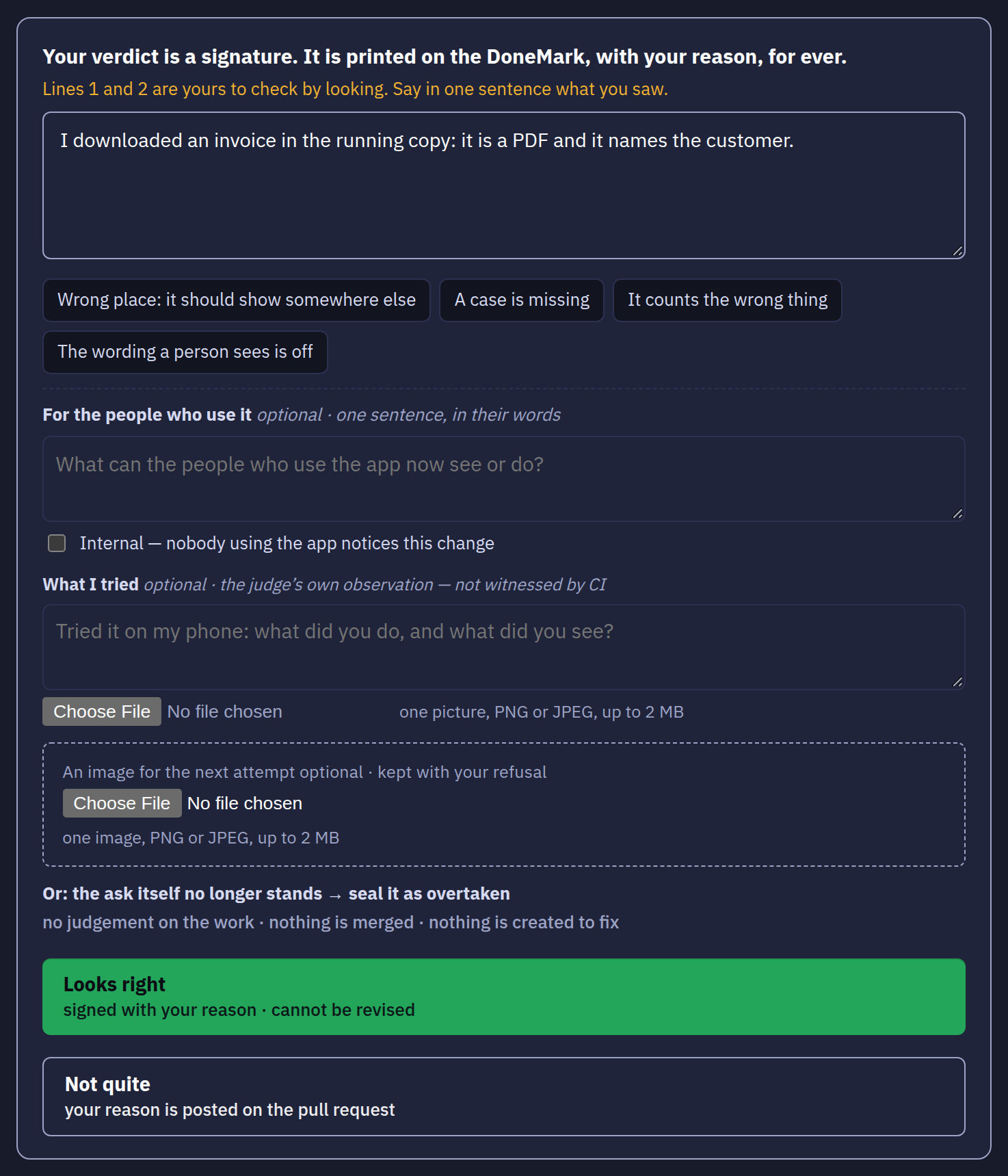
A reason in your own words, then Looks right or Not quite.
Merging stays yours, on GitHub. DoneMark records the verdict; it never merges, never runs your tests and never changes your code.
When the verdict is not open yet
The page says what it waits for. When your CI runs on the pull request, the verdict opens when those checks finish. When nothing runs, it opens ten minutes after the pull request's newest version, and the page says at what time. DoneMark emails you when it opens.
Next
- Let a check show each line, not the checks as a whole: Add the report opens one pull request in your name that you merge. See What your CI must publish.
- Every part of this page in full: Judging any pull request.