You came here from the screen you left, and it is still open behind you. Back to the screen you left
Setting up · page 11 of 29
Judging any pull request
In 30 seconds
- You need a repository on GitHub with an open pull request, from an agent or a person, and the DoneMark App on it. No runner, no agent key, no server.
- You do: press Judge, check the done when lines, read what saw each line, then Looks right or Not quite with a reason.
- You get your verdict on the record, and on the pull request as a check and a comment. Merging stays yours.
Whatever built it, an agent or a person: you give your look. DoneMark reads your repository's open pull requests, shows you the evidence that each one does what was asked, and records your verdict. No runner, no agent key and no server are needed for this.
1. Pick the repository
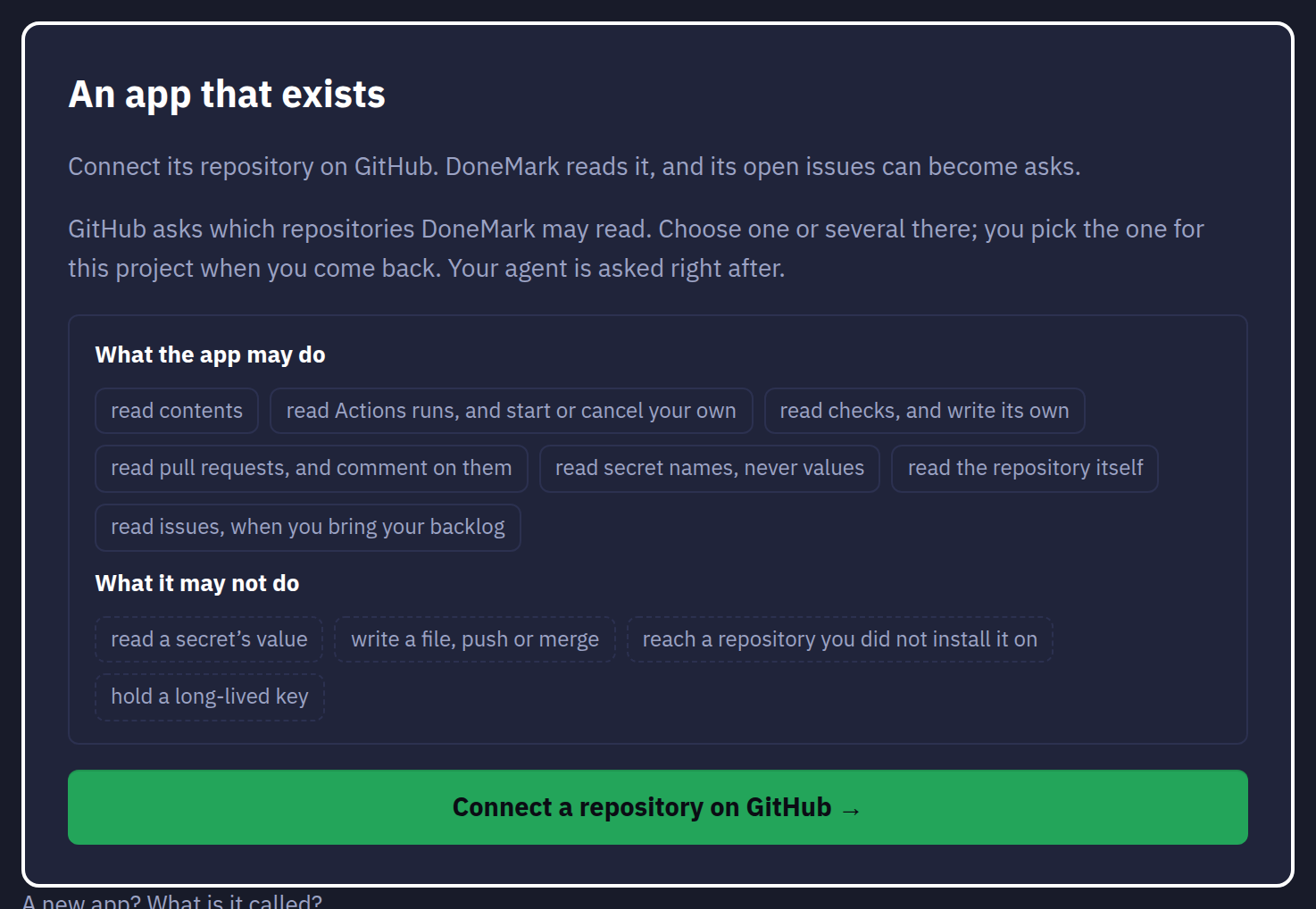
Sign in with GitHub, make your organisation, and point a project at a repository where the DoneMark app is installed. The app reads; it never changes your code.
2. See what is waiting
Pull requests lists every open pull request, with who opened it: an agent such as Copilot, Claude Code, Cursor or Devin (by its own name), or a person. They are all judged the same way. Press Judge on one.
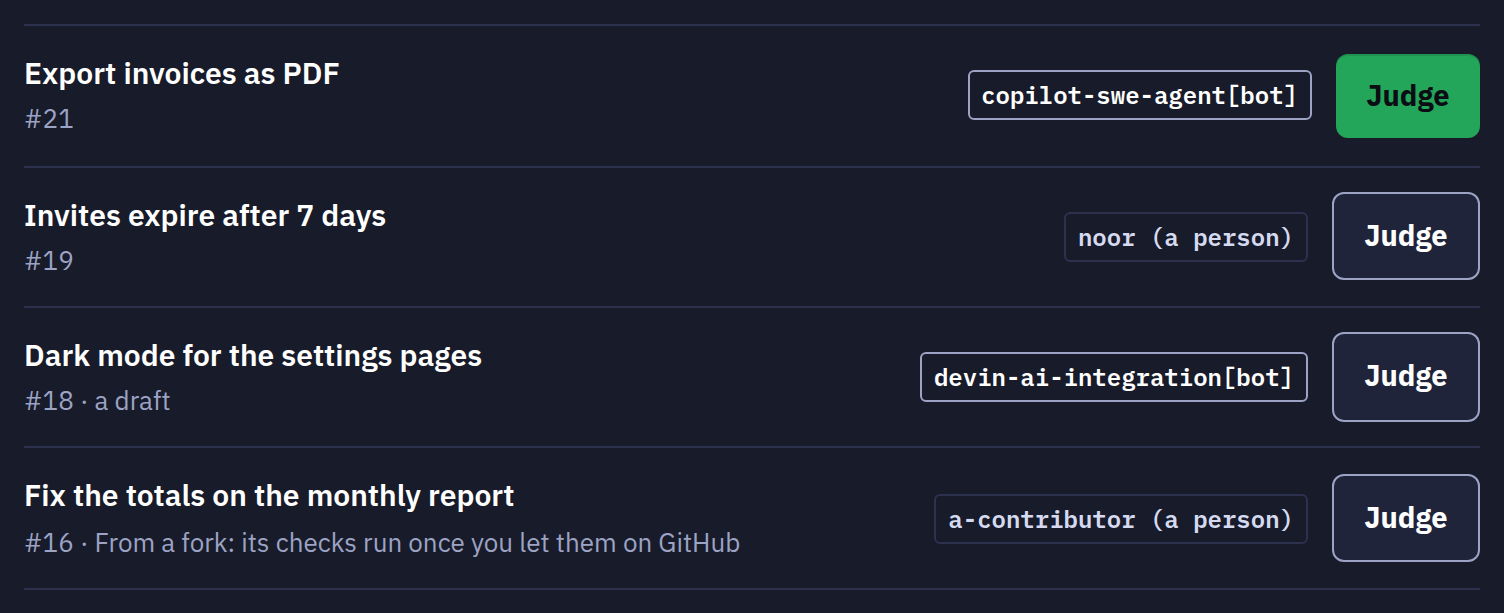
A pull request from a fork runs its checks only once you allow them on GitHub. Until then DoneMark says no checks have run.
3. Say what "done" means
DoneMark drafts the done when lines for you: from the issue the pull request closes, when it names one ("Closes #12"), or else from the pull request's own description. The page says which. An agent's description is its claim, not proof, so read the lines and change any that are not what you meant. Nothing is judged until you press Use these lines.
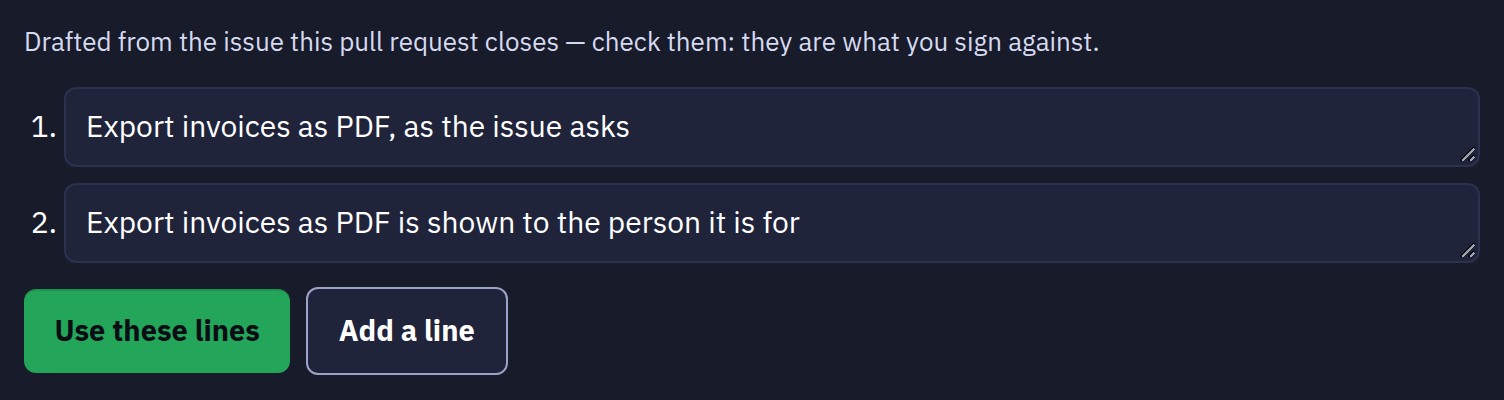
If DoneMark cannot draft (drafting is off, or this month's drafts are used), you write the lines yourself, one per line.
Built for an ask you already wrote? When the project has approved asks nothing has attempted yet, the page first asks Which ask is this for?. The ask the pull request names is chosen for you ("DoneMark ask № 1": the words Copy for your agent asks your agent to write), or the only one waiting. It is then judged against that ask's own lines, fixed when it was approved: nothing is drafted again and no second ask is made. You can still choose A new ask, from this pull request.
4. Read the proof
Above the lines, What kind of change sorts the files the pull request touched: app code, tests, words and docs, dependencies. Sign-in, payments, secrets, database changes and how it is measured show in orange: look there first. DoneMark reads this from the file names alone. It never blocks anything.
When the change touches how it is measured (the CI workflows, the report scripts, or the test and coverage settings), a check can pass because it was made easier to pass. Look at those files, then tick I looked at how it is measured changed before Looks right opens. The sealed record keeps your tick. Not quite never waits for it.
Each line shows what DoneMark saw:
- Seen by a check, which passed or failed on this commit, with its picture when the check took one.
- The pull request's checks passed as a whole; no check shows this line yet. This is what you see before your repository publishes DoneMark's report. It is weaker proof, and the record says so.
- No checks found on this pull request. Judge it by looking: use Try it to run the app.
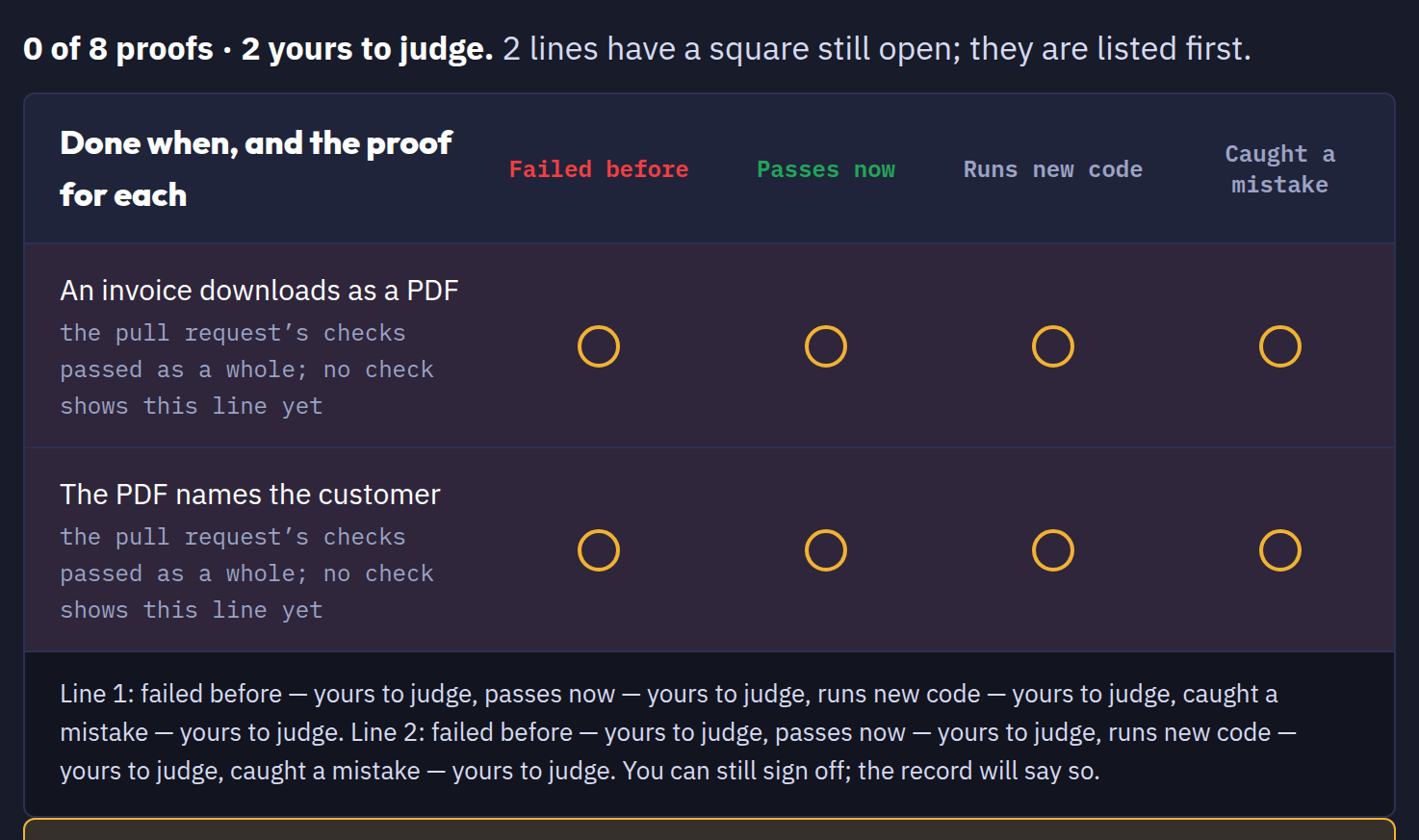
Two things help a line move from "as a whole" to "seen by a check":
- Add the report. One pull request, opened in your name, adds DoneMark's report to your checks. You merge it. From then on, each line can be shown by its own check.
- Ask for a check. On a line nothing shows, this posts the line on the pull request so the agent (or person) who opened it can add a test. Once per line and commit.
5. Looks right, or Not quite
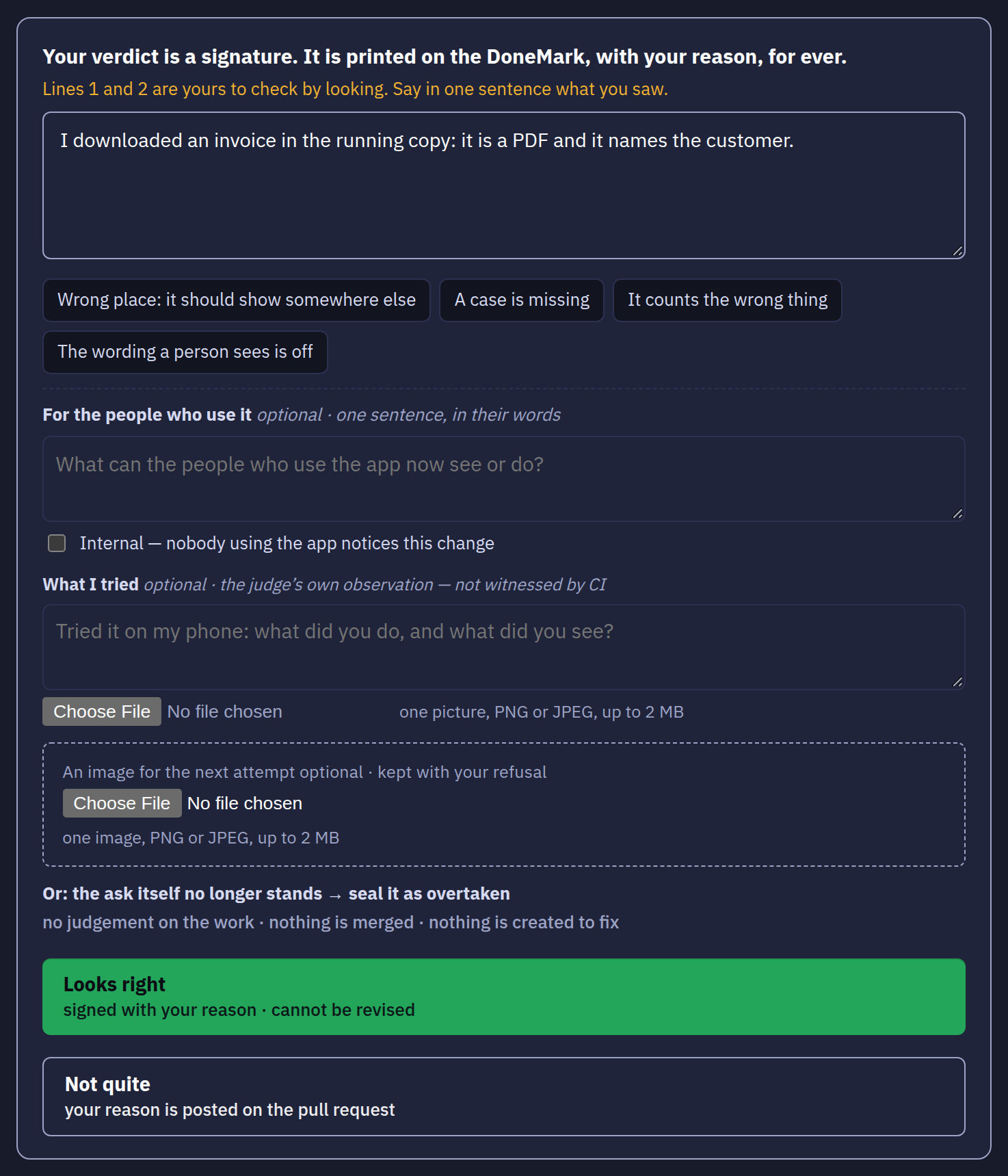
Looks right seals the verdict at once with a number, your words and the commit — there is no release to wait for, since the merge is yours on GitHub. Not quite posts your reason on the pull request, where its agent reads it. When a fix is pushed, the same record moves to the new commit and you judge it again.
Merging stays on GitHub: DoneMark records the verdict and you merge there.